Offline PDF tools for real work.
Merge, split, compress, protect and convert PDFs on your own computer. No uploads to unknown websites. No mandatory subscription. No drama.
Everything you need for everyday office PDFs
PrintForge PDF Lite was built for offices, schools, administrative teams, small businesses, lightweight legal work and professionals who need to handle documents without relying on online PDF tools.
Merge PDFs
Combine multiple PDF files into one document, in the exact order you choose.
Split and extract
Extract specific pages, split ranges and create new files safely.
Compress PDF
Reduce file size with safe and intelligent compression modes.
PDF to images
Export PDF pages as PNG or JPG for reports, records and visual documents.
Images to PDF
Turn images, scans and screenshots into a clean, organized PDF file.
Password protection
Add a password to your PDF while keeping the original file untouched.
A simple interface designed for real work
No confusing menus. Each tab solves one specific task: merge, split, organize, convert, protect, compress or process files in batch.
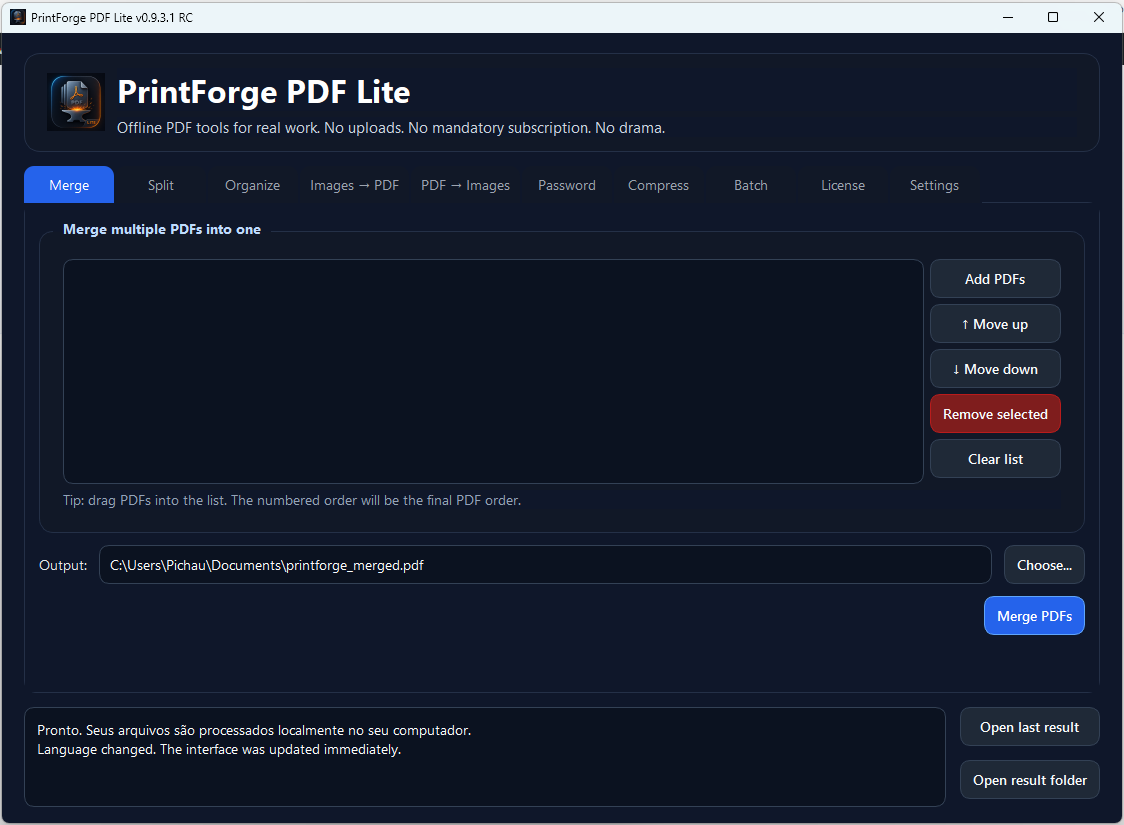
Build a final PDF in just a few clicks
Add files, arrange their order and generate a final copy without changing your original documents.
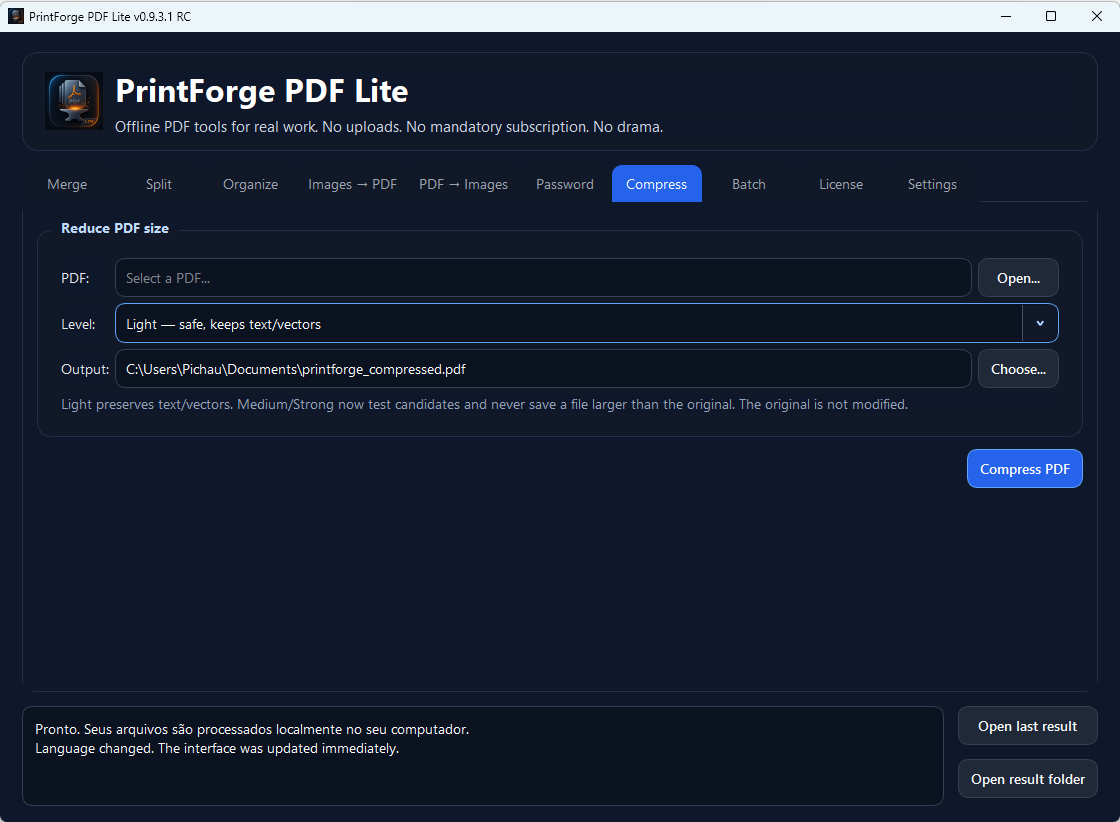
Reduce file size without overthinking it
Choose a compression level and let the app avoid bad results: if the output is not smaller, it will not save a larger file over your workflow.
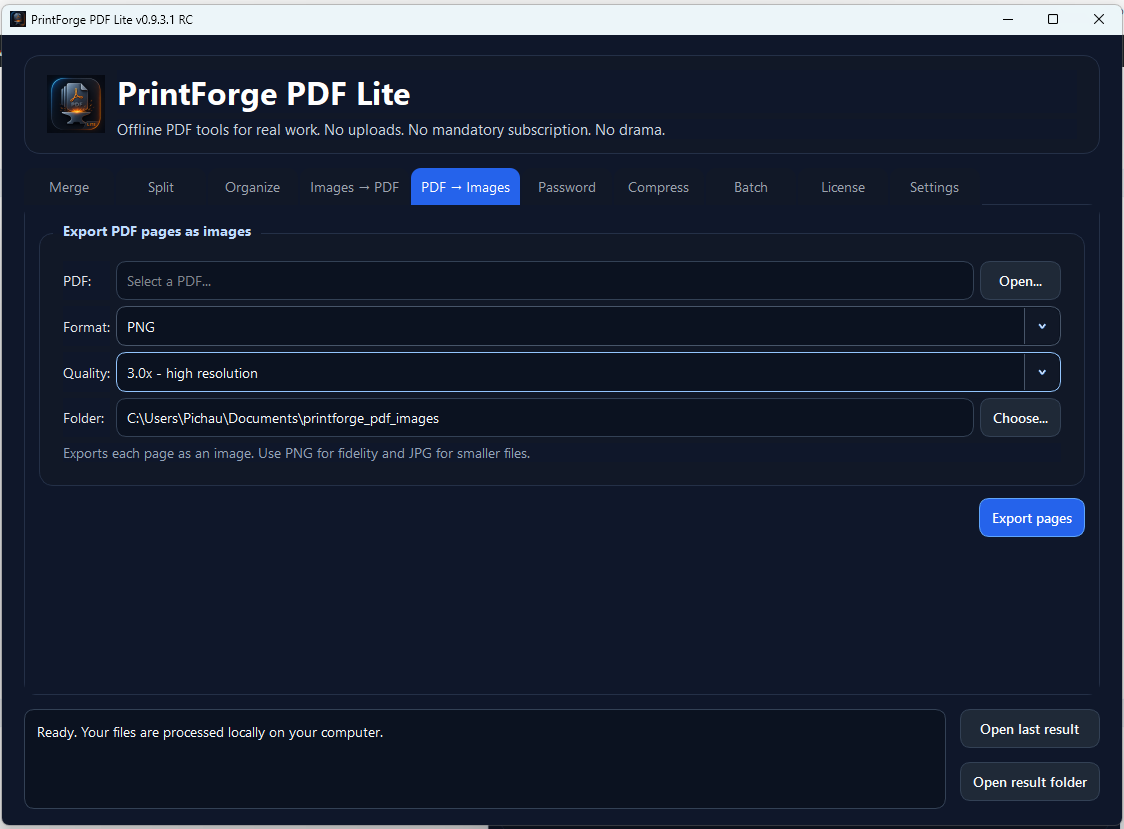
Turn PDF pages into PNG or JPG
Export pages as images when you need to create reports, presentations, visual proof, quick attachments or documentation assets.
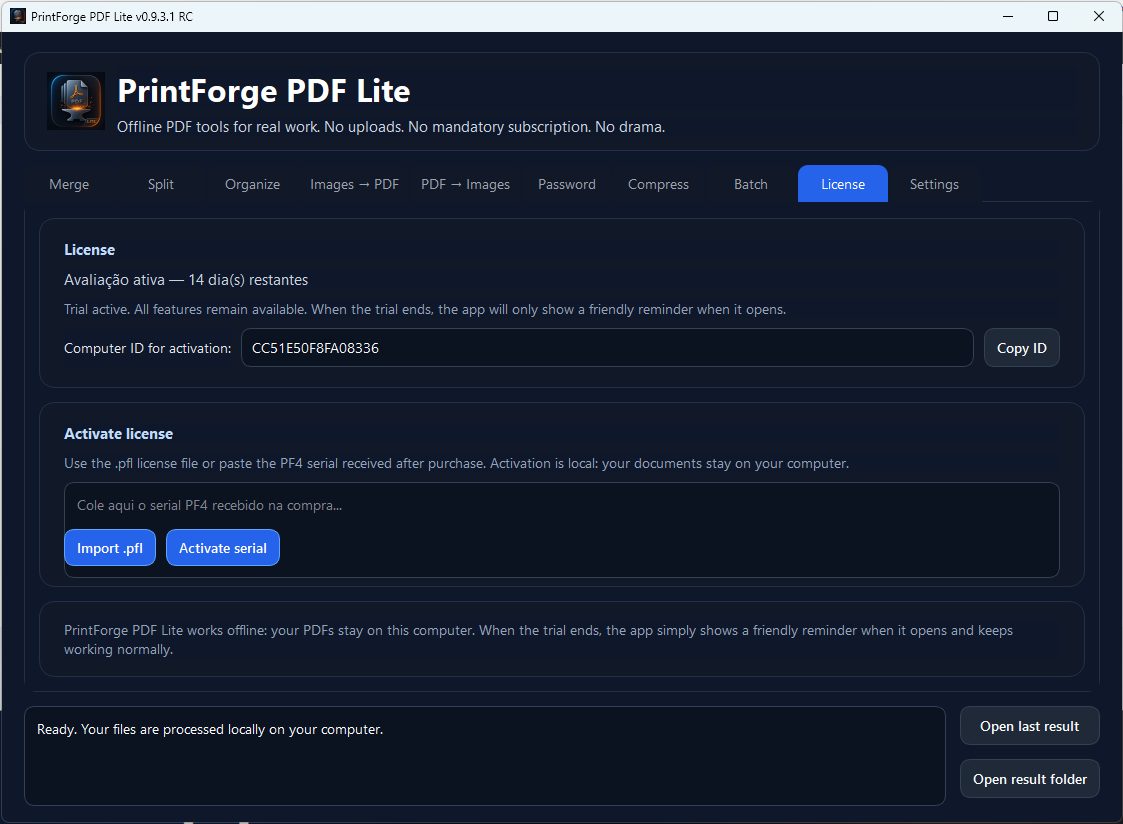
Fully functional trial and local activation
The trial gives you access to the features. When the trial period ends, the app simply shows a friendly reminder when it opens.
Your documents stay on your computer
Many PDFs contain contracts, reports, school documents, internal records, personal data and sensitive information. With PrintForge PDF Lite, your files are processed locally on Windows. You do not need to upload documents to unknown websites.
Simple lifetime license
Launch pricing for people who want a direct, offline PDF tool without monthly fees.
PrintForge PDF Lite Pro
One-time payment. No mandatory monthly subscription.
- Offline use on Windows.
- Merge, split, compress and convert PDFs.
- Password protection.
- Batch processing tools.
- Launch lifetime license.
Try before you buy
The trial is fully functional. Download it, test the core features and decide later.
When the trial period ends, the app does not lock your tools: it simply shows a friendly reminder when it opens, in the spirit of classic desktop software.
Download free trialFrequently asked questions
Quick answers for anyone who wants to download, test and use PrintForge PDF Lite.
Does PrintForge PDF Lite work offline?
Yes. PDF operations are performed locally on your computer.
Are my files uploaded to a server?
No. The app is designed to work without automatically uploading your documents.
Does the trial lock the features?
No. The trial is functional. When it ends, the app only shows a friendly reminder when it opens.
Does the app modify my original files?
No. The workflow is designed to generate new output files while preserving your originals.
Which operating system is recommended?
Windows 10 or Windows 11.
Who is this app for?
Offices, schools, administrative teams, small businesses, public-sector workers and professionals who deal with PDFs every day.
Download it, try it and handle your PDFs without friction
PrintForge PDF Lite was built for people who want to open the app, solve the document task and get back to work.